Workers hesitate before servicing a machine. Is it truly de-energized? Was the last technician thorough? In high-risk environments, uncertainty kills. That’s where lockout tagout tags—especially printable versions—become non-negotiable. These aren’t just labels. They’re legal shields, procedural checkpoints, and frontline tools in preventing accidental startups and catastrophic injuries.
Printable lockout tagout tags bridge compliance and convenience. Instead of ordering pre-printed stock that may never match your exact needs, facilities can now generate tags on demand—tailored to specific machines, procedures, or personnel. This isn’t just about saving time. It’s about precision, adaptability, and reinforcing a culture where safety is dynamic, not static.
Why Printable LOTO Tags Beat Pre-Printed Alternatives
Pre-printed lockout tags have dominated industrial settings for decades. They’re durable, standardized, and often come in bulk. But they’re rigid. Need to add a machine model number? Too bad. Want to include a technician’s employee ID or a QR code linking to the energy control procedure? Forget it.
Printable LOTO tags solve that rigidity.
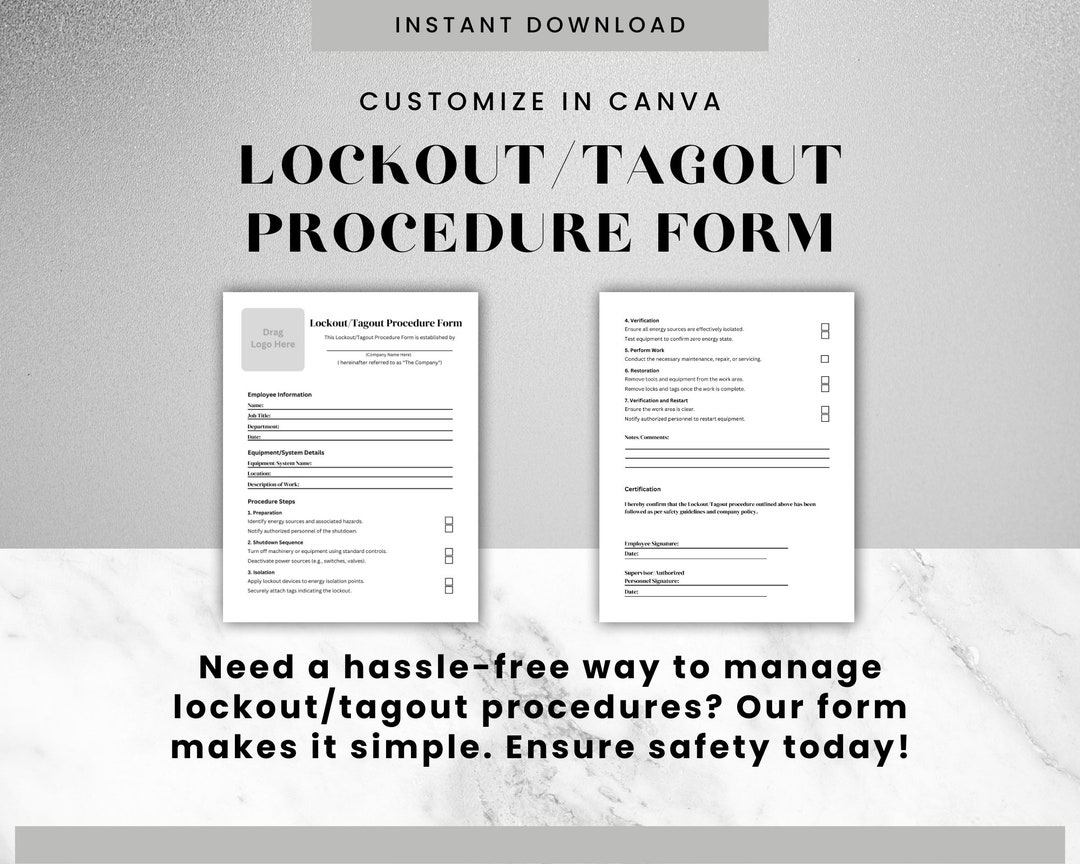
Facilities can design templates that include: - Machine-specific details (e.g., “Hydraulic Press #7 – Main Power Isolation”) - Dynamic fields for date, shift, and technician name - Visual warnings in multiple languages - Barcodes or QR codes that link to digital LOTO procedures
More importantly, when equipment changes or new hazards emerge, you update the template—not the entire inventory. A single malfunctioning conveyor system with a unique lock point doesn’t require a custom order. You adjust the form, print five new tags, and maintain continuity.
One manufacturing plant in Ohio reduced tag-related compliance delays by 70% after switching to printable tags. Their maintenance team no longer waited days for supplier deliveries. They printed what they needed, when they needed it—direct from the maintenance office printer.
Regulatory Compliance and OSHA Expectations
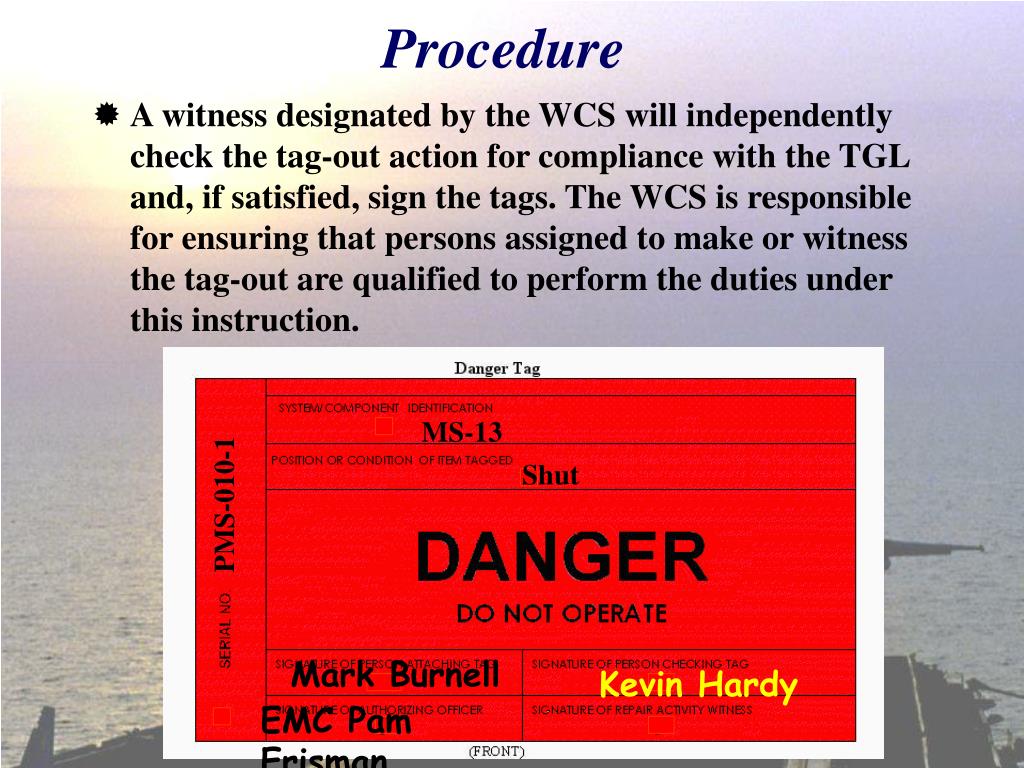
OSHA’s standard 29 CFR 1910.147 mandates that lockout tagout procedures include clear identification of isolated energy sources. Tags must indicate: - The identity of the authorized employee applying the device - The time the lockout began - A warning not to operate the equipment
Printable tags meet—and can exceed—these requirements.
But compliance isn’t just about content. It’s about durability and visibility. OSHA doesn’t allow flimsy, hand-written notes on scrap paper. Tags must withstand environmental conditions: oil, moisture, temperature shifts, and UV exposure.
That’s why printable LOTO tags work best when printed on: - Polyester or Tyvek® substrates - Water-resistant label stock - UV-protected laminated sheets
Using standard printer paper? That’s a compliance risk. Tags should remain legible for the duration of the lockout, even in harsh conditions. The best printable systems combine robust design software with industrial-grade printable media.
A poorly designed tag is worse than no tag at all. It creates false confidence. A technician might assume the equipment is safe because a tag is present—even if it’s vague or incomplete.

An effective printable LOTO tag includes the following elements:
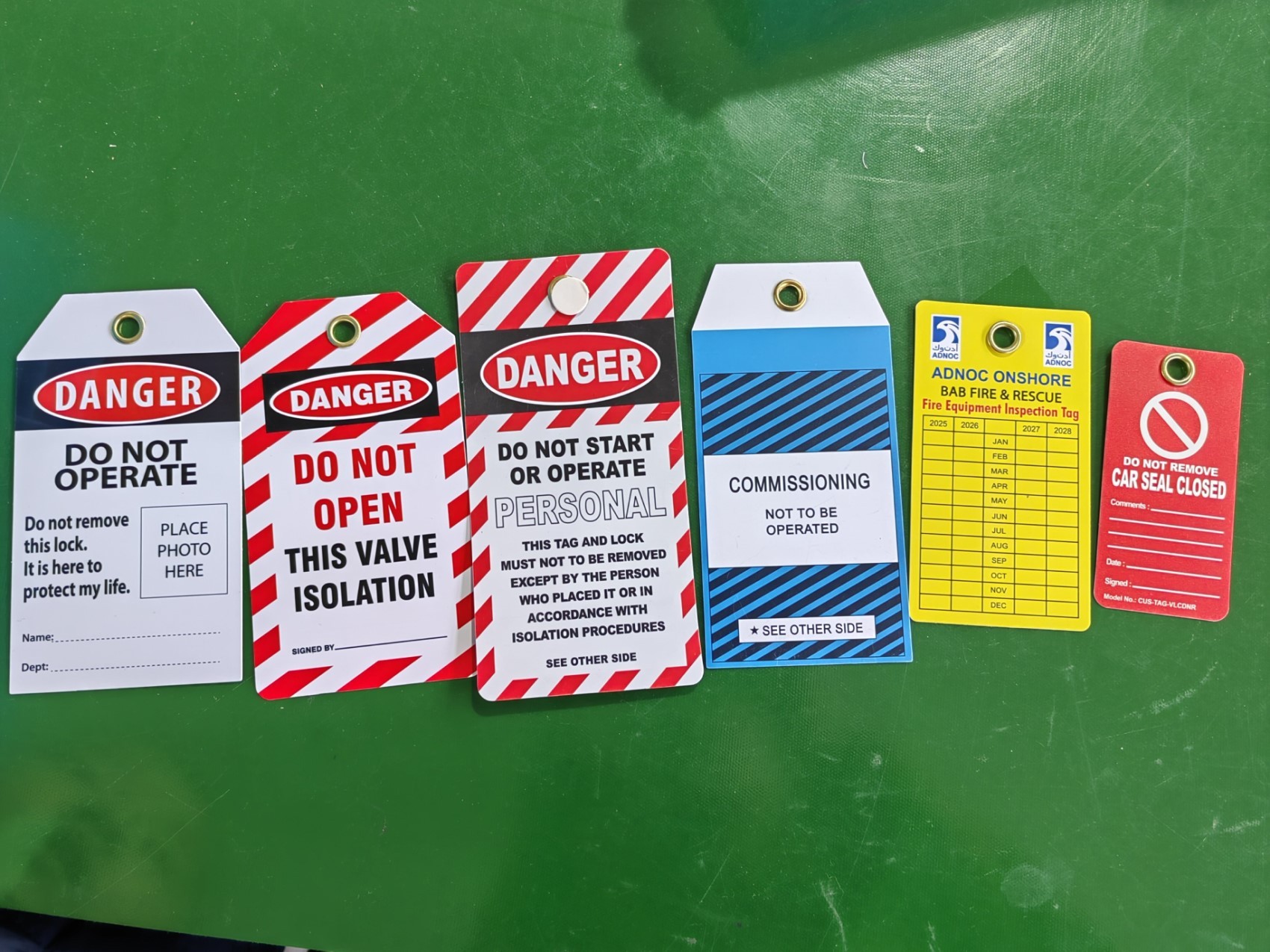
Mandatory Fields: - Equipment ID or name - Reason for lockout (e.g., “Motor Replacement,” “Hydraulic Line Repair”) - Name and contact of authorized employee - Date and time of lock application - Department or work group
Recommended Enhancements: - Pictograms (e.g., “Do Not Start,” “High Voltage”) - Multilingual warnings (critical in diverse workplaces) - QR code linking to digital LOTO procedure - Emergency contact info
Design Tips: - Use high-contrast colors (red/white or yellow/black) - Avoid clutter; prioritize readability - Standardize fonts (sans-serif, 14pt minimum) - Leave a blank space for handwritten additions, if needed
One plant in Michigan adopted a color-coded system: red for electrical, orange for mechanical, purple for chemical. Technicians could assess risk at a glance. The change reduced misidentifications by 42% in six months.
Common Mistakes That Undermine LOTO Tag Effectiveness
Even with the right tools, human error and poor implementation can derail safety.
Mistake 1: Using Generic Tags for Specific Tasks A tag that reads “Do Not Operate – Maintenance in Progress” lacks context. What maintenance? On which component? A more effective version specifies “Do Not Start – Gearbox Alignment in Progress – See Work Order #4892.”
Mistake 2: Skipping the Employee Field Anonymous tags reduce accountability. If no one’s name is listed, who’s responsible for verifying isolation? Who should be contacted if the machine is needed urgently?
Mistake 3: Hand-Writing Critical Info on Low-Quality Tags Pencil on flimsy paper fades. Ink smears when exposed to oil. Print all critical data. Reserve handwriting for temporary notes—never safety-critical fields.
Mistake 4: Failing to Train on Tag Use Printable doesn’t mean intuitive. Employees must understand when and how to use tags, how to verify lock points, and how to retrieve them after work completion. Annual training isn’t enough—include hands-on drills.
A refinery in Texas traced a near-miss incident to a reusable tag that had been photocopied and taped over. The original print was illegible. The lesson? Even printable systems require discipline. Never compromise on material quality.
Top 5 Printable Lockout Tagout Solutions
Not all printable LOTO systems are equal. The best combine ease of use, durability, and compliance alignment.
| Solution | Key Features | Best For |
|---|---|---|
| Brady BMP61 Printer + LOTO Software | On-demand printing, durable polyester tags, QR integration | High-volume industrial sites |
| Seton LOTO Template Library | Free downloadable PDFs, OSHA-compliant layouts | Small businesses, quick setup |
| Grainger Print & Go Tags | Pre-sized printable sheets, water-resistant material | Facilities with basic needs |
| SafetySign.com Custom Tag Generator | Online designer with multilingual support, bulk PDF export | Multilingual or global teams |
| SmartLOTO (Digital + Printable Hybrid) | Cloud-based templates, mobile printing, audit trails | Companies moving toward digital LOTO |
Each option serves different needs. Seton’s free templates are ideal for small workshops. Brady’s ecosystem suits large plants investing in long-term safety infrastructure. SmartLOTO bridges paper and digital—enabling printable tags while logging each use in a central system.
Integrating Printable Tags into Your Energy Control Program
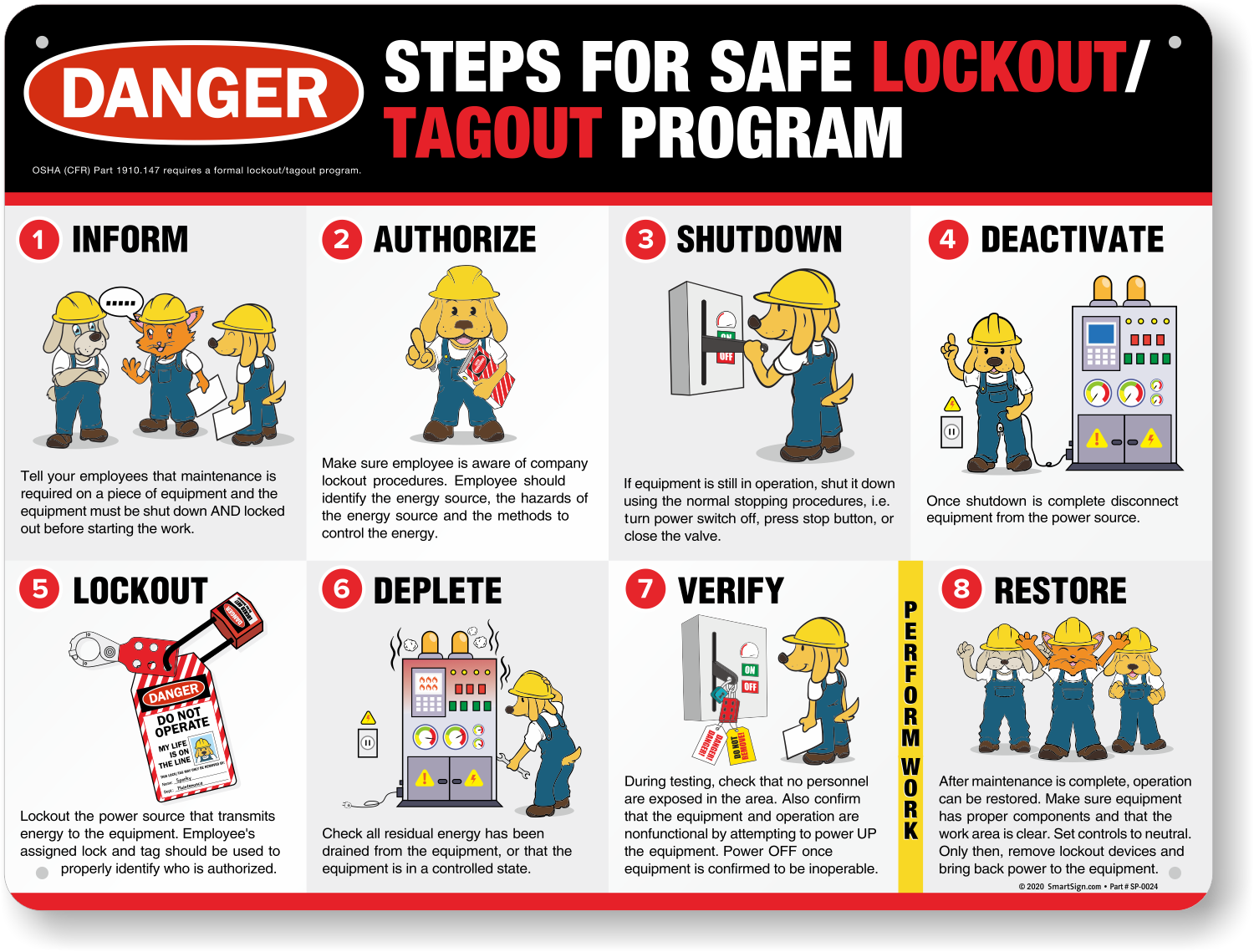
Printable LOTO tags shouldn’t exist in isolation. They’re part of a broader energy control program.
- Steps for effective integration:
- Audit all energy sources – Identify every machine requiring lockout.
- Develop machine-specific procedures – Include isolation points and required tags.
- Design standardized tag templates – Align with your LOTO policy.
- Train authorized employees – Focus on proper tag use and accountability.
- Maintain tag logs – Record when tags are printed, used, and retired.
- Audit regularly – Check for missing, damaged, or misused tags.
One facility reduced LOTO violations by 63% after introducing a monthly tag audit. Supervisors reviewed printed tag logs, cross-checked with maintenance records, and retrained technicians who skipped steps.
The key? Treat printable tags not as disposable paperwork but as documented evidence of safety.
Real-World Use Cases: Where Printable Tags Make a Difference
Case 1: Food Processing Plant High-moisture environments ruined standard paper tags. The plant switched to printable waterproof labels. Tags now survive washdown cycles, and bilingual warnings ensure Spanish-speaking staff understand hazards.
Case 2: University Research Lab Custom experiments required unique lockout configurations. Instead of waiting weeks for specialty tags, researchers printed their own using a secure template. Each tag included a QR code linking to the experiment’s safety protocol.
Case 3: Construction Contractor Mobile crews needed tags on demand. With a tablet and portable printer, supervisors generated tags onsite. No more carrying bulk supplies or guessing what machines would need isolation.
These aren’t edge cases. They reflect the versatility of printable tags in dynamic environments.
Why Workflow Efficiency Matters in Safety
Safety procedures that slow down work get bypassed. That’s human nature.
Printable LOTO tags streamline compliance. A technician can: - Pull up the correct template - Fill in dynamic fields - Print in under a minute - Attach to lockout device
No trips to supply closets. No delays. No excuses.
But speed must never compromise rigor. The fastest tag is useless if it’s inaccurate. The best systems enforce data entry—requiring fields like employee name and equipment ID before allowing print.
Final Thoughts: Safety That Scales
Printable lockout tagout tags are more than a convenience. They’re a strategic upgrade to your safety infrastructure. They reduce downtime, improve compliance accuracy, and empower technicians with real-time, relevant information.
The shift from static, pre-printed tags to dynamic, printable versions mirrors a larger trend: safety is no longer just about rules. It’s about usability, adaptability, and integration.
If you’re still relying on bulk-ordered, one-size-fits-all tags, you’re leaving safety gaps—and efficiency on the table.
Set up a template library today. Test print on durable stock. Train your team. Make lockout tagout not a burden, but a seamless part of every maintenance cycle.
Safety doesn’t have to be slow. With printable LOTO tags, it can be instant, intelligent, and ironclad.
Frequently Asked Questions
Can I use regular printer paper for LOTO tags? No. Regular paper is not durable enough for industrial environments. Use water-resistant, tear-proof materials like polyester or laminated label stock.
Are handwritten tags acceptable under OSHA? Handwritten tags are allowed if legible and permanent, but printed tags are preferred for consistency and durability. Critical information should not rely on handwriting.
Do printable LOTO tags need to be bilingual? If your workforce speaks multiple languages, yes. OSHA requires that safety information be understandable to all employees. Bilingual tags reduce miscommunication risks.
How long should a LOTO tag remain on a machine? The tag must stay in place for the entire duration of the servicing or maintenance work, and only be removed by the authorized employee who applied it.
Can I reuse a printed LOTO tag? No. Tags should be single-use. Reusing a tag creates confusion about current lockout status and violates accountability requirements.
Are QR codes on LOTO tags OSHA-compliant? Yes, as long as the tag includes all required information either on the tag itself or through immediate access via the code. Never rely solely on digital content.
Where should I store printable LOTO templates? Templates should be stored in a centralized, accessible location—preferably digital and password-protected to prevent unauthorized changes, but available to authorized personnel.
FAQ
What should you look for in Printable Lockout Tagout Tags: Safety You Can Customize? Focus on relevance, practical value, and how well the solution matches real user intent.
Is Printable Lockout Tagout Tags: Safety
You Can Customize suitable for beginners? That depends on the workflow, but a clear step-by-step approach usually makes it easier to start.
How do you compare options around Printable Lockout Tagout Tags: Safety You Can Customize? Compare features, trust signals, limitations, pricing, and ease of implementation.
What mistakes should you avoid? Avoid generic choices, weak validation, and decisions based only on marketing claims.
What is the next best step? Shortlist the most relevant options, validate them quickly, and refine from real-world results.